wc88 App —
Play Anywhere,
Anytime
Download the wc88 App on your Android device and get instant access to 2,600+ games — slots, live tables, crash games and sports betting — all in a single APK. Deposit from RM20 via Touch 'n Go or DuitNow, withdrawals processed in under 8 minutes.
- SSL Encrypted
- 18+ Only
- 24/7 Live Chat
- Android 10+
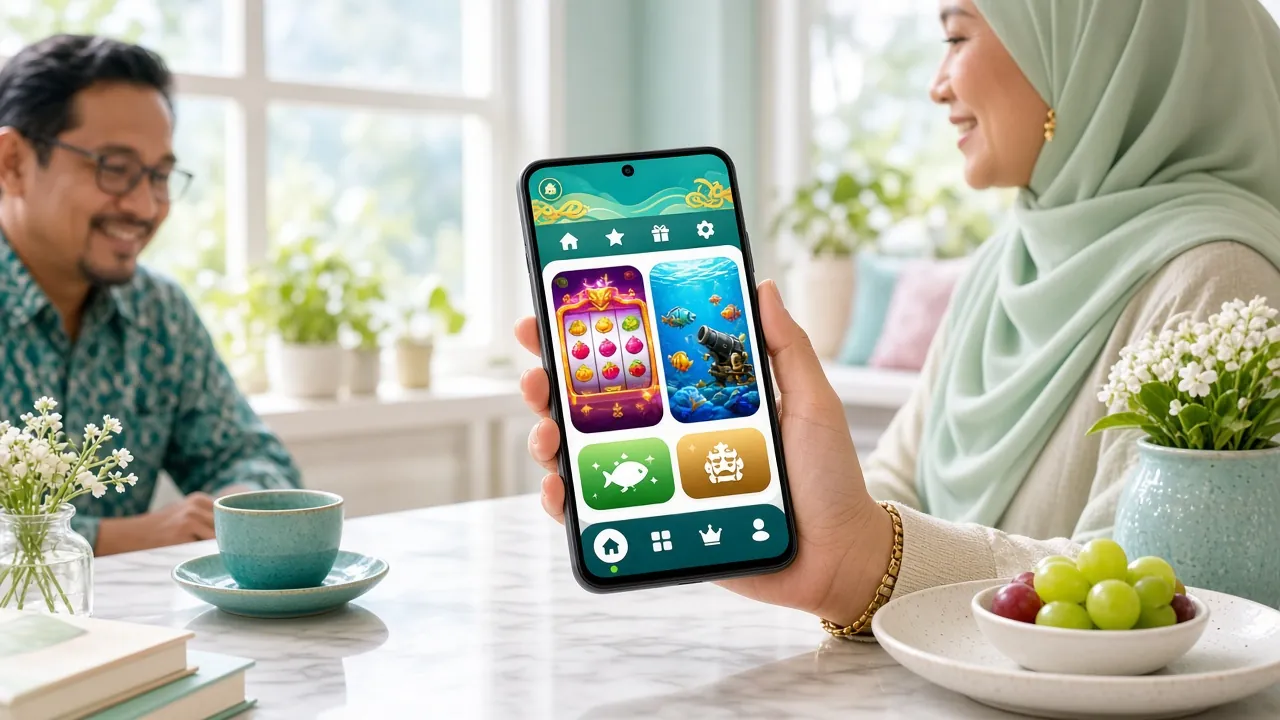
Install on Android: 5 Steps
Android does not allow installs from outside the Play Store by default. You need to enable one setting before tapping the downloaded file. The whole process takes under 3 minutes.
-
Allow Unknown Sources
On your Android phone, open Settings → Security (or Privacy on newer devices) and toggle on "Install Unknown Apps" for your browser or file manager. This lets Android run APK files downloaded outside the Play Store. You can turn this off again after installing the wc88 App.
-
Download the APK
Tap the Download APK button on this page or scan the QR code above. Your browser will save wc88.apk (45 MB) to your Downloads folder. Make sure you have a stable connection — Wi-Fi or mobile data both work. The file is free and contains no ads or bundled software.
-
Open the File
Pull down your notification shade and tap the completed download, or open your Files / My Files app and navigate to Downloads → wc88.apk. Android will show an install prompt. If it asks again about Unknown Sources, tap "Settings" and enable it for the file manager, then press the back button to continue.
-
Confirm Installation
Tap "Install" on the Android install screen. The process takes roughly 10–15 seconds. When you see "App installed", tap "Done" to close, or "Open" to launch immediately. You will find the wc88 icon on your home screen and in your app drawer from now on.
-
Log In or Register
Open the wc88 App and log in with your existing credentials, or tap "Register" to create a new account in under two minutes. After logging in, head to the Cashier tab to make your first deposit from RM20 via DuitNow or Touch 'n Go and claim your 105% Welcome Bonus up to RM925.
iPhone Users: Browser Shortcut
The wc88 App is currently available as a native APK for Android only. iPhone and iPad users can play the full wc88 Casino through Safari — it loads just as fast and supports all payment methods. Add it to your home screen for a full-screen, app-like experience.
- 1 Open Safari on your iPhone and go to wc88.info. The site detects your device and loads the mobile-optimised layout automatically.
- 2 Tap the Share icon at the bottom of Safari (the square with an arrow pointing up). Scroll down in the share sheet until you see "Add to Home Screen".
- 3 Tap "Add to Home Screen", give the shortcut a name (e.g. wc88), then tap "Add" in the top-right corner. The wc88 icon will appear on your home screen.
- 4 Launch it from your home screen — Safari opens wc88.info in full-screen mode without the browser toolbar, so it feels native. Log in as usual to access your account and all games.
Version & System Requirements
Check these details before downloading — particularly the minimum Android version. Devices running Android 9 or below will not run the wc88 App correctly. All technical details below are from the official build.
| Detail | Information |
|---|---|
| App Version | 3.3.8 |
| File Name | wc88.apk |
| File Size | 45 MB |
| Minimum Android Version | Android 10.0 |
| Last Updated | 10 November 2026 |
| Price | Free |
| Languages | English, Bahasa Melayu |
| Platform | Android (APK sideload) · iOS via Safari PWA |
| Internet Required | Yes — Wi-Fi or mobile data (4G/5G recommended for live games) |
| Storage Required | ~120 MB after install (cache included) |
- Total Games
- 2,600+
- Welcome Bonus
- 105%
- Min Deposit
- RM20
- Withdrawal Time
- ~8 min
One File, The Whole Lobby
- 45 MB, no extra downloads. The APK installs in one pass and caches game assets locally, so the second launch opens straight into the lobby.
- Built for one hand. Bottom tab bar, large tap targets and landscape lock for live tables — steady on a bus or in a mamak seat.
- Cashier stays inside the app. Touch 'n Go eWallet, DuitNow, FPX and bank transfer, with funds in about 2 minutes and withdrawals around 8 minutes.
- Same account, same rules. Bonuses, the 6× wagering tracker and your 1.7% daily cashback show up identically to the desktop site.
Six Things You Get on the App
The wc88 App is not a stripped-down mobile version — it carries the full game library with the same odds, bonuses and cashout speeds as the desktop site.
Slots & Jackpots
Over 1,000 slot titles from Red Tiger, KA Gaming, FA Chai and more — from RM0.10 per spin. Jackpot pools update in real time. Titles like Dragon Fortune and Prosperity Fortune Tree run at 96–97% RTP right on your phone.
Live Casino Tables
HD live streams powered by Evolution and Ezugi. Baccarat, blackjack, roulette and game-show formats with real dealers. Latency is kept low thanks to adaptive bitrate streaming — playable on 4G without buffering interruptions.
Crash Games
Crash Goal and similar titles let you bet and cash out at a multiplier of your choosing before the graph drops. Minimum bet RM2, maximum RM2,500 per round. Rounds run continuously — no waiting between sessions on the wc88 App.
Sports & E-Sports Betting
Malaysian football, EPL, Champions League, badminton — full pre-match and in-play markets. Piggy Gold and Golden Bank cover sports-themed arcade betting for players who prefer faster settlement. Minimum stake from RM0.50.
Fishing Games
Cannon Fishing from Evolution — aim, fire, and collect fish for multiplied payouts. Betting starts at RM0.10. The touch controls on the wc88 App are optimised for one-handed play, making fishing games the most satisfying category to run on mobile.
Cashier & Promotions
Deposit via Touch 'n Go eWallet, DuitNow, FPX or bank transfer directly in the app — funds arrive within 2 minutes. The app shows active bonuses, wagering progress (6× rollover) and your daily 1.7% cashback balance on the same screen.
Sample Games Available on the App
 Slots
RTP 96.9%
Dragon Fortune
 Crash
RTP 96.2%
Crash Goal
Prosperity Fortune Tree
Cannon Fishing
Explore the full 2,600+ game library in the wc88 Casino section.
Security & What the App Accesses
Players sometimes worry about installing APKs from outside the Play Store. Here is exactly what the wc88 App does and does not access on your device.
TLS / SSL Encryption
All traffic between the wc88 App and our servers runs over TLS 1.3. Your login credentials, payment details and session tokens are encrypted end-to-end. The app will not connect over an unencrypted channel — if your network blocks HTTPS, the app shows an error rather than proceeding unsafely.
Minimal Device Permissions
The wc88 App requests only: Internet access (required to load games), Storage read/write (to cache game assets for faster loading) and Vibration (optional haptic feedback on wins). It does not access your contacts, camera, microphone, location or SMS messages.
APK Source Integrity
The APK hosted at wc88.info is the official build signed with our developer certificate. Download only from this page — not from third-party APK mirror sites, which may bundle modified versions. The file size is exactly 45 MB; a significantly larger or smaller file is a warning sign of tampering.
Account & KYC Safety
The wc88 App enforces the same identity verification as the website. Before your first withdrawal, you will be prompted to submit a National ID Card, Passport or Driving Licence. KYC review takes up to 12 hours. This protects your account from unauthorised withdrawals even if your phone is lost. Enable your phone's screen lock as an additional layer.
App vs Browser: Which Is Right for You?
Both routes give you the full wc88 Casino experience. The differences come down to convenience and performance. This table covers the practical points Malaysian players ask about most.
| Feature | wc88 App (Android APK) | Mobile Browser (iOS & Android) |
|---|---|---|
| Game Library | Full 2,600+ games | Full 2,600+ games |
| Load Speed | Faster — assets cached locally after first load | Slightly slower on first visit; improves with browser cache |
| Push Notifications | Bonus alerts, deposit confirmations | Not available |
| Home Screen Icon | Added automatically on install | Manual "Add to Home Screen" in Safari/Chrome |
| Touch Controls for Fishing/Crash | Optimised for touch | Good, but no haptic feedback |
| Device Support | Android 10.0 and above | All modern iOS and Android browsers |
| Deposits & Withdrawals | Touch 'n Go, DuitNow, FPX, Bank Transfer | Touch 'n Go, DuitNow, FPX, Bank Transfer |
| Bonus Eligibility | All bonuses apply — 105% Welcome, 11% Reload, 1.7% Cashback | All bonuses apply equally |
| Storage Used | ~120 MB on device | Minimal — browser cache only |
| Play Without Re-login | Session persists until manual logout | Depends on browser session settings |
Not yet registered? Open your wc88 account — it takes under 2 minutes and works from both app and browser.
Install Problems? Check This Table First
Most APK install failures have simple fixes. Work through the relevant row below before contacting live chat. If none of these resolve the issue, our support team is available 24/7.
| Problem | Likely Cause | How to Fix |
|---|---|---|
| "Install blocked" or "Not allowed" | Unknown Sources not enabled for the app you used to open the APK | Go to Settings → Security → Install Unknown Apps. Select your file manager or browser. Toggle on "Allow from this source". Return and tap the APK again. The prompt should now offer an Install button. |
| "App not installed" error after tapping Install | Corrupted or incomplete download, or insufficient storage space | Delete the existing APK file, free up at least 200 MB on your device, then re-download wc88.apk from this page. Verify the file is exactly 45 MB before installing. Avoid downloading over a weak mobile data signal. |
| App installs but crashes on launch | Device runs Android below 10.0, or RAM is under 2 GB | Check Settings → About Phone → Android Version. If below 10.0, the native app will not run correctly — use the mobile browser version at wc88.info instead. All games and features remain fully accessible via browser. |
| Games load slowly or freeze mid-session | Weak internet signal or background apps consuming RAM | Switch from mobile data to Wi-Fi if possible. Close background apps before launching wc88. For live casino streams, a minimum of 10 Mbps download is recommended. You can also lower video quality in the live table settings panel. |
| Cannot log in after update | Cached session token from an older app version conflicts with the new build | Clear the wc88 App cache: Settings → Apps → wc88 → Storage → Clear Cache. Do not clear App Data unless instructed, as this removes saved preferences. Restart the app and log in again via your registered phone number and password. |
APK Questions: Straight Answers
Jump to Question
Is the wc88 APK safe to install on my Android phone?
Yes — the APK hosted on wc88.info is the official signed build. It requests only internet access, storage (for caching game assets) and optional vibration. It does not access your contacts, camera, location or messages. The file is exactly 45 MB; a significantly different size suggests the file did not come from this source. As a general precaution, only download wc88.apk from this page, not from third-party APK repositories or Telegram channels claiming to offer newer versions.
How do I know if my phone is compatible with the wc88 App?
The minimum requirement is Android 10.0. To check your version, go to Settings → About Phone → Android Version. If your device runs Android 9 or below, the native app will not function reliably — use wc88.info in Chrome instead, which works on Android 7 and above. The app also performs best on devices with at least 3 GB RAM; on lower-spec phones, close other background apps before launching live tables or crash games to avoid slowdowns.
How do I update the wc88 App when a new version is released?
The wc88 App checks for updates automatically each time you open it. If a newer build is available, a banner appears inside the app with a one-tap "Update Now" option — it downloads the latest APK and re-installs over the existing version without deleting your login session or preferences. The current version is 3.3.8, last updated 10 November 2026. If the in-app update prompt fails, return to this page and use the Download APK button to fetch the latest file manually.
Will the wc88 App drain my battery or use a lot of mobile data?
Slots and crash games are lightweight — expect roughly 15–25 MB per hour of data. Live casino streams use more: approximately 150–300 MB per hour at standard quality. For longer sessions, connecting to Wi-Fi and keeping screen brightness around 50% are the most effective steps to reduce battery draw. The app does not run background services when closed, so it will not consume battery or data between play sessions on your Android device.
Can I use the same wc88 account on both the app and a browser?
Yes. Your wc88 account is tied to your registered phone number, not to a specific device or platform. You can log in on the Android app at home, then continue on a browser at the office — your balance, active bonuses, wagering progress and withdrawal history are all synchronised in real time. Simultaneous logins on two devices are supported, though for security we recommend logging out of devices you no longer use.
Is the wc88 App available on the Google Play Store or Apple App Store?
No — the wc88 App is distributed as a direct APK download from wc88.info only. Online casino apps are not permitted on either the Google Play Store or Apple App Store under their current content policies. This is standard practice for licensed Asian gaming operators. The APK sideload process is straightforward and covered step by step on this page. iPhone users should use Safari to access wc88.info and add it to their home screen for a full-screen experience.
The download link is not working — what should I try?
First, try a different browser — Chrome on Android tends to handle APK downloads most reliably. If your mobile network blocks the download, switch to Wi-Fi or use a different connection. Some corporate or school networks block APK file types by policy. If the problem persists, scan the QR code at the top of this page from a different device. You can also contact our 24/7 Live Chat support team directly — they can send you an alternative download link within minutes.
Ready to Play on Mobile?
Download the wc88 App, register your account and deposit from RM20. Your 105% Welcome Bonus up to RM925 is waiting in the Cashier tab.